> For the complete documentation index, see [llms.txt](https://docs.plume.org/plume/llms.txt). Markdown versions of documentation pages are available by appending `.md` to page URLs; this page is available as [Markdown](https://docs.plume.org/plume/plume-portal/optimizer.md).

# Optimizer

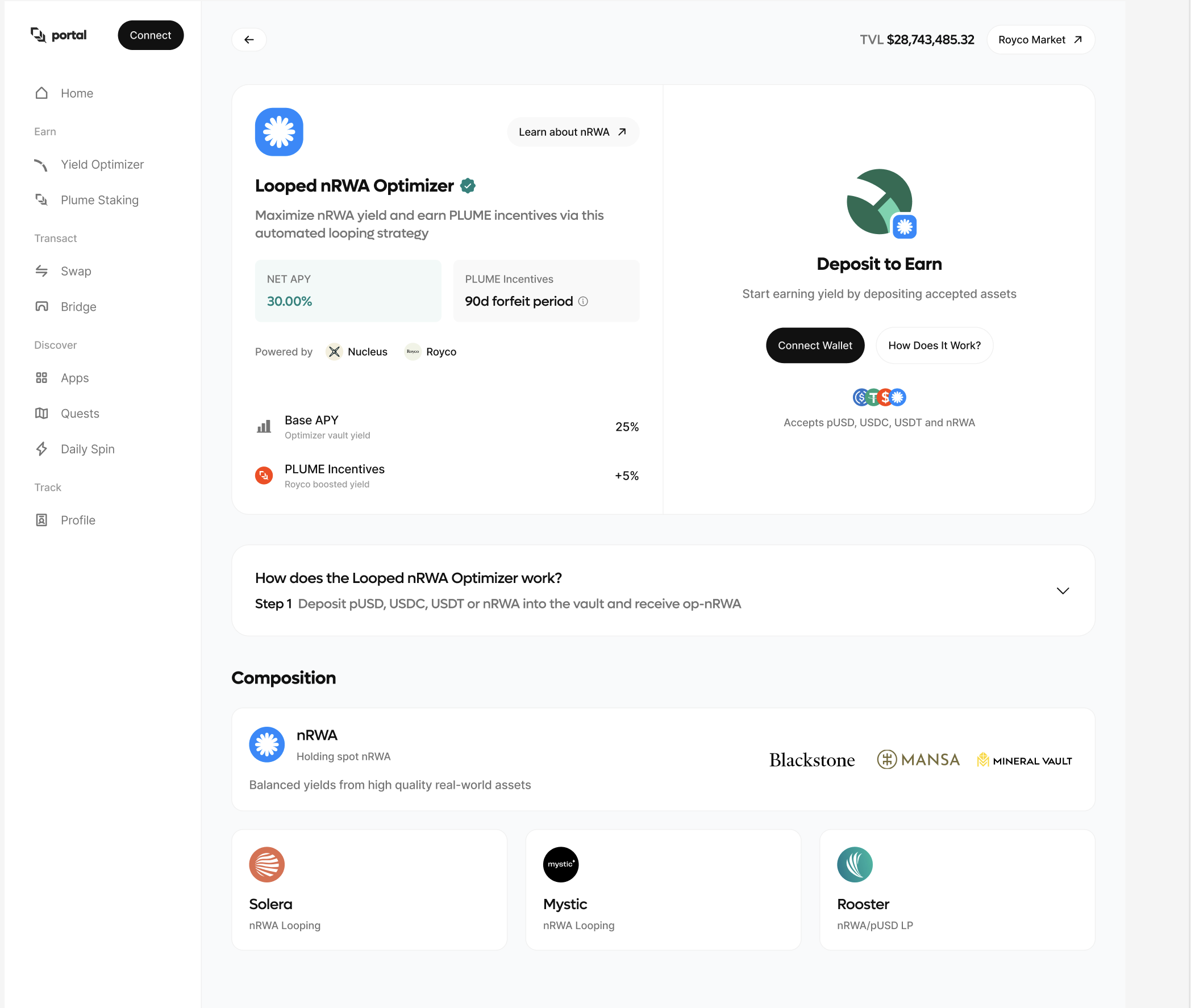
<figure><img src="/files/S3TZs33xU9cMuMMuOpwF" alt=""><figcaption><p>Plume's Optimizer</p></figcaption></figure>

### About the Optimizer

Optimizer combines Real World Assets with crypto capabilities to produce DeFi level yields with the smallest number of clicks. &#x20;

### How it works

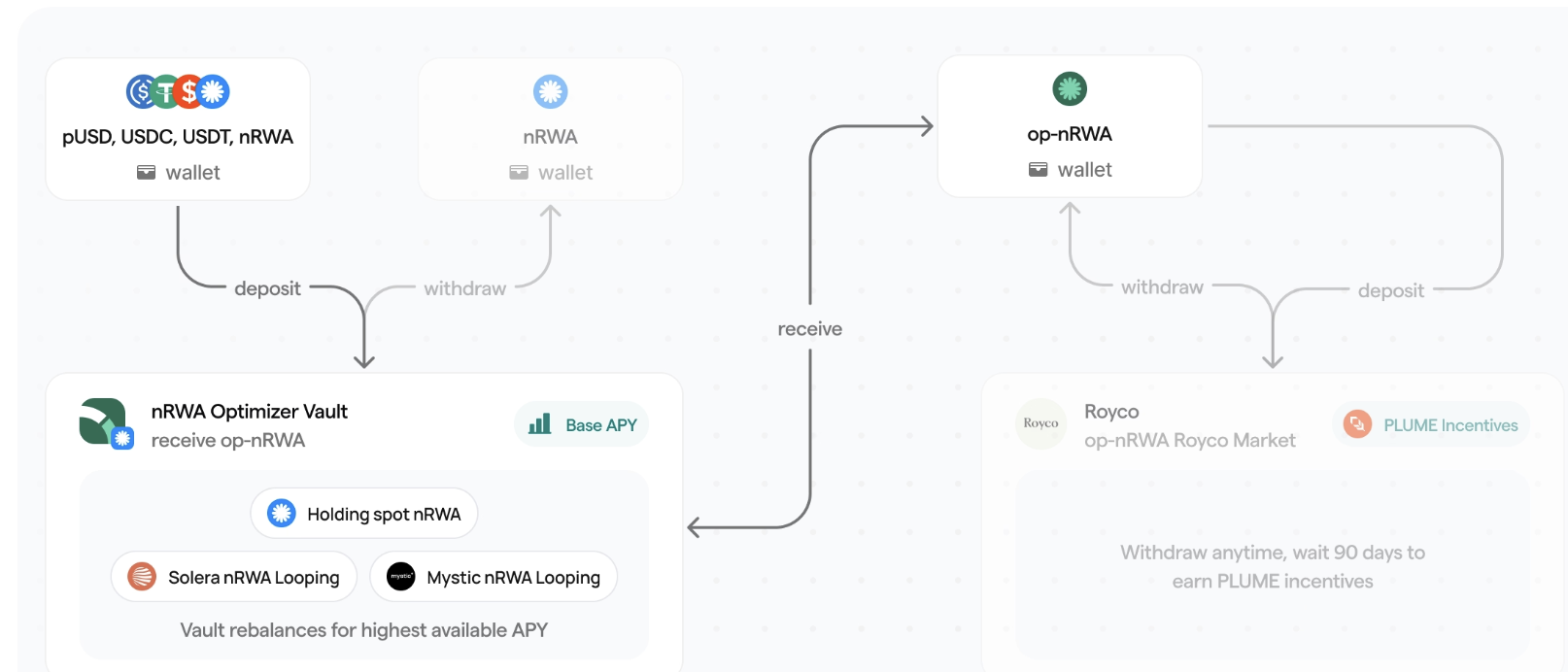
<figure><img src="/files/AyS7ybJClJkKJqi9Yq8V" alt=""><figcaption><p>Example Optimizer flow</p></figcaption></figure>

While the underlying movement of the capital seems complex, the Optimizer abstracts that away by giving the user a one-click easy to use tool.&#x20;

* The user deposits the stablecoin (USD.e, USDT, [pUSD](/plume/tokens/plume-usd.md), or a Nest token).&#x20;
* The Optimizer takes the deposit and moves it to a vault where it's automatically deployed across our partner looping markets (Solera, Mystic, etc.).&#x20;
* Plume incentivizes the user by working with the leading incentive market Royco to give you the highest DeFi yield backed by Real World Assets.&#x20;


---

# Agent Instructions
This documentation is published with GitBook. GitBook is the documentation platform designed so that both humans and AI agents can read, navigate, and reason over technical content effectively. Learn more at gitbook.com.

## Querying This Documentation
If you need additional information that is not directly available in this page, you can query the documentation dynamically by asking a question.

Perform an HTTP GET request on the current page URL with the `ask` query parameter:

```
GET https://docs.plume.org/plume/plume-portal/optimizer.md?ask=<question>
```

The question should be specific, self-contained, and written in natural language.
The response will contain a direct answer to the question and relevant excerpts and sources from the documentation.

Use this mechanism when the answer is not explicitly present in the current page, you need clarification or additional context, or you want to retrieve related documentation sections.